Push Notifications
Enable browser push notifications so members receive real-time alerts even when fellos isn't open.
Push notifications deliver instant alerts directly to a member's device — their computer, phone, or tablet — even when they're not actively using fellos. A notification pops up on their screen or lock screen, letting them know about new posts, comments, event reminders, or workflow updates without needing to check the site.
Push notifications use the Web Push standard and require VAPID (Voluntary Application Server Identification) keys. fellos makes this easy — you can generate the required keys with a single click.
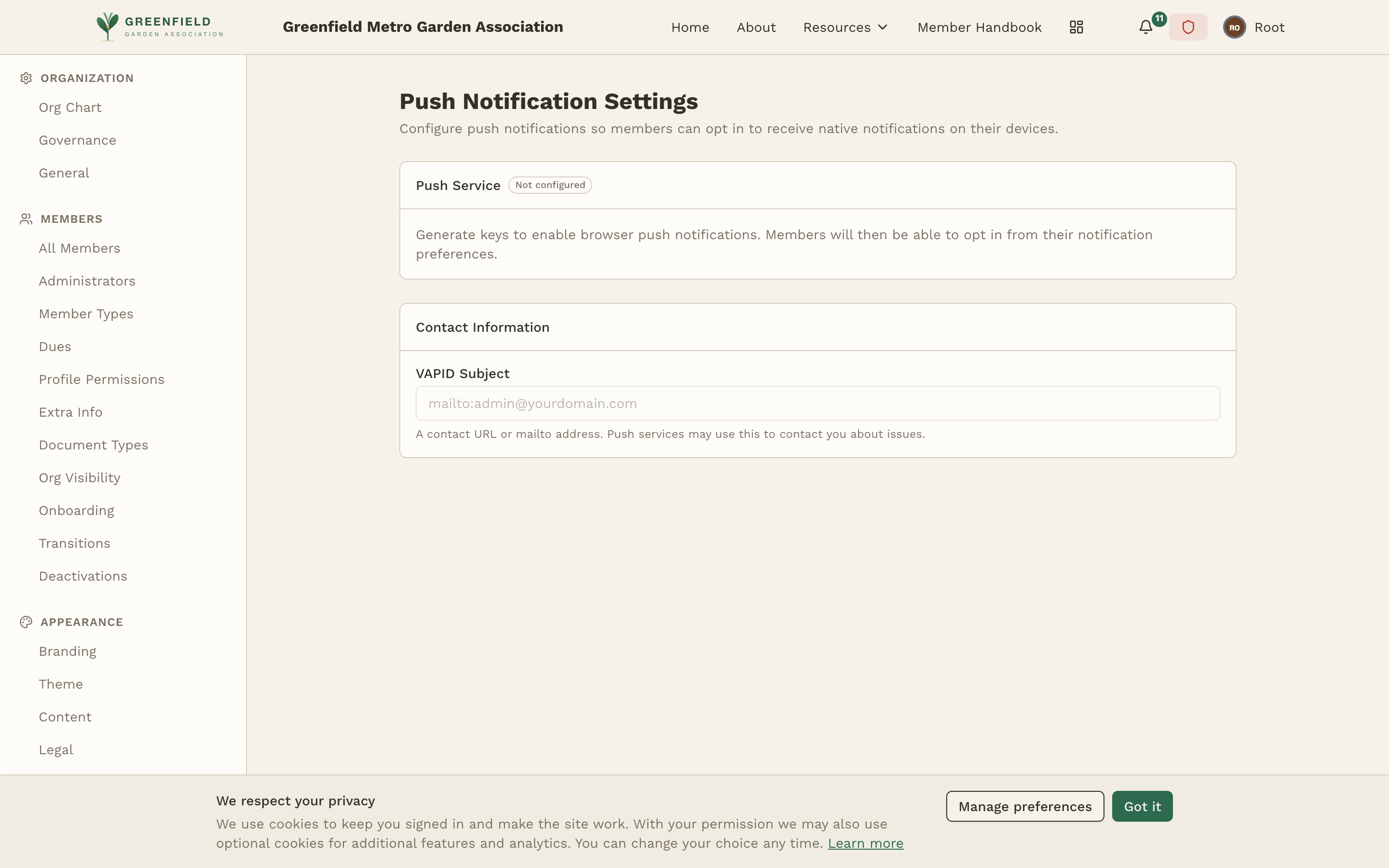
Setting Up Push Notifications
The Push Notification Settings page has a Push Service section (which initially shows "Not configured") and a Contact Information section with a VAPID Subject field.
- Navigate to Admin → INTEGRATIONS → Push Notifications.
- In the Contact Information section, set the VAPID Subject — a contact URL or
mailto:address (e.g.mailto:admin@yourorg.com). Push services use this to contact you about issues. - In the Push Service section, generate a new VAPID key pair using the page's controls. This creates a public key (shared with browsers) and private key (used by your server). You only need to do this once.
- Save. Once configured, members will be able to opt in to push notifications from their personal notification preferences page.
Once members have subscribed to push notifications, do not regenerate the VAPID keys. Changing the keys invalidates all existing subscriptions, and every member would have to re-subscribe. Only generate new keys when first setting up, or when you intentionally want to reset all subscriptions.
Understanding VAPID Keys
VAPID (Voluntary Application Server Identification) is a standard that identifies your server to push notification services (like Google's FCM or Mozilla's push service). The key pair consists of:
- Public Key — Shared with the browser when a member subscribes to push notifications. This is not sensitive and is visible in the admin panel.
- Private Key — Used by your server to sign push notification messages. This is sensitive and is masked in the admin panel by default. Click "Show" to reveal it, or "Copy" to copy it to your clipboard.
fellos handles all the technical details of VAPID automatically. You don't need to understand the cryptographic details — just generate the keys and enable the feature.
Member Experience
Once push notifications are enabled, here's what members experience:
- The first time a member visits fellos after push is enabled, their browser asks: "Allow notifications from [your site]?"
- If they click Allow, they're subscribed to push notifications. fellos will now send them push alerts based on their notification preferences.
- If they click Block, they won't receive push notifications. They can change this later in their browser settings.
- Members can turn push delivery on or off with the Push toggle in the Delivery channels section of their Notifications settings page. (There are no per-notification-type push controls — it's a single on/off switch.)
Push notifications work even when fellos isn't open in the browser. They also work on mobile devices when fellos is added to the home screen as a web app. This makes push notifications the fastest way for members to stay informed about activity in their organization.
Browser Support
Web Push notifications are supported in all modern browsers:
- Chrome (desktop and Android) — Full support
- Firefox (desktop and Android) — Full support
- Edge (desktop) — Full support
- Safari (macOS and iOS 16.4+) — Supported when fellos is added to the home screen
Members using browsers that don't support Web Push will simply not see the notification permission prompt and won't receive push alerts. They can still receive in-app and email notifications.
Troubleshooting
- Test push doesn't arrive — Trigger a real notification (e.g. comment on your own post from another browser) and watch what happens. Make sure you've allowed notifications from your site in your browser settings, and that the browser isn't in "Do Not Disturb" mode.
- Members report not getting notifications — They may have blocked notifications when first prompted. They'll need to go to their browser settings to unblock your site and then refresh fellos.
- Notifications stopped working — If you regenerated VAPID keys, all existing subscriptions are invalid. Members need to clear their browser data for your site and re-subscribe.
- Notifications delayed — Push notification delivery depends on the browser vendor's push service. Slight delays (a few seconds) are normal. Long delays may indicate an issue with the VAPID keys or server configuration.