Document Types (Attachment Types)
Define the categories of documents and files that can be uploaded to member profiles — waivers, licenses, photos, and more.
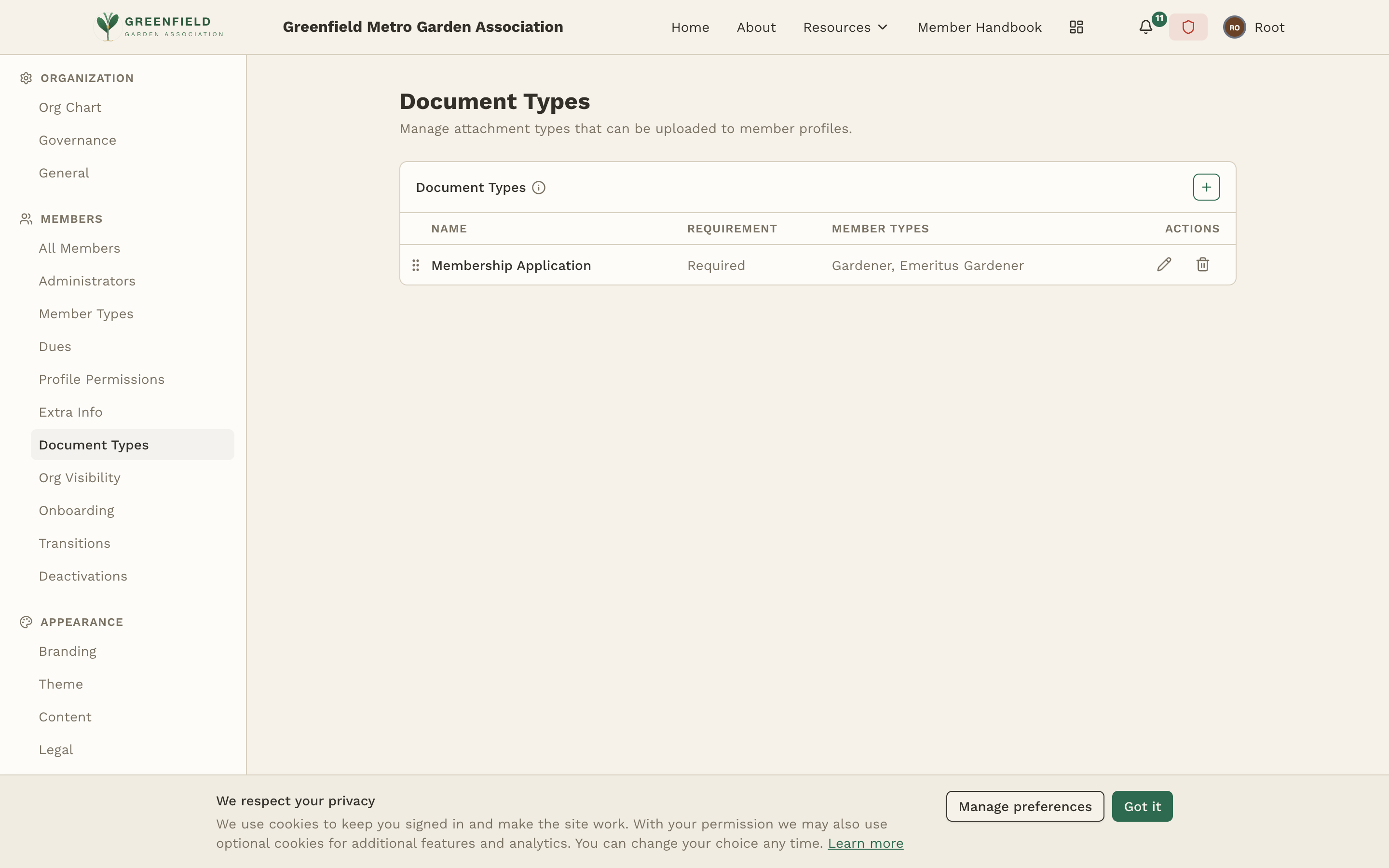
The Document Types page is found under MEMBERS → Document Types in the admin sidebar. Document types are named categories that organize the files uploaded to member profiles. When an admin uploads a document to a member's profile, they select which type it belongs to — this keeps files organized and makes them easy to find later.
What Are Attachment Types?
Attachment types are the categories that organize files uploaded to member profiles. When an admin (or the member themselves, if permitted) uploads a file to a profile, they must select an attachment type. This categorization makes it easy to:
- Find specific documents quickly (e.g., "show me all Liability Waivers")
- Track compliance (e.g., how many members have uploaded their Insurance Card)
- Set different access rules per category if needed
- Keep the file section of member profiles organized and navigable
Creating a Document Type
The Document Types table has columns for Name, Requirement (Required or Optional), Member Types (which member types this document applies to), and per-row Actions.
- Use the add control at the top of the table.
- Enter a name for the type (e.g. "Membership Application", "Liability Waiver").
- Set the Requirement — choose Required if every member of the selected types must have this document on file, or Optional if it's nice-to-have.
- Pick the Member Types the document applies to (one, several, or all). Members who don't hold one of these types won't be prompted for this document.
- Save. The new type appears in the list and is immediately available for use when uploading files.
Common Attachment Types
Here are common attachment types used by organizations on fellos:
- Liability Waiver — signed waiver or release of liability forms
- Motorcycle License — copy of the member's motorcycle endorsement or license
- Insurance Card — proof of motorcycle or vehicle insurance
- Profile Photo — official member headshot or profile image
- Safety Course Certificate — documentation of completed safety or training courses
- Application Form — the member's original application or intake form
- Other Documents — a catch-all for miscellaneous files
Managing Attachment Types
You can Edit an attachment type to change its name at any time. Existing files tagged with that type will automatically reflect the new name.
You can Delete an attachment type, but only if no files are currently assigned to it. If files exist under that type, you'll need to either reassign them to a different type or delete the files first. This prevents orphaned documents.
Start with a small set of broadly useful attachment types. You can always add more specific types later. Having too many categories can make the upload process confusing — aim for 4-8 types that cover your most common document needs.
Attachment types are site-wide — every organization in your hierarchy uses the same set of types. If a particular type is only relevant to certain orgs, it's fine to create it; unused types simply won't accumulate files at orgs that don't need them.