Dues
Collect recurring membership dues from members through Stripe — set the billing cycle, amounts per member type, and how new members and deactivations are handled.
The Dues page (Admin → MEMBERS → Dues) lets your organization bill members for recurring membership dues. Members are charged each cycle and pay on demand through Stripe Checkout.
Dues collection runs through Stripe. Connect your organization's Stripe account on the Payments page before enabling dues: until it is connected and accepting payments, Enable member dues can't be switched on.
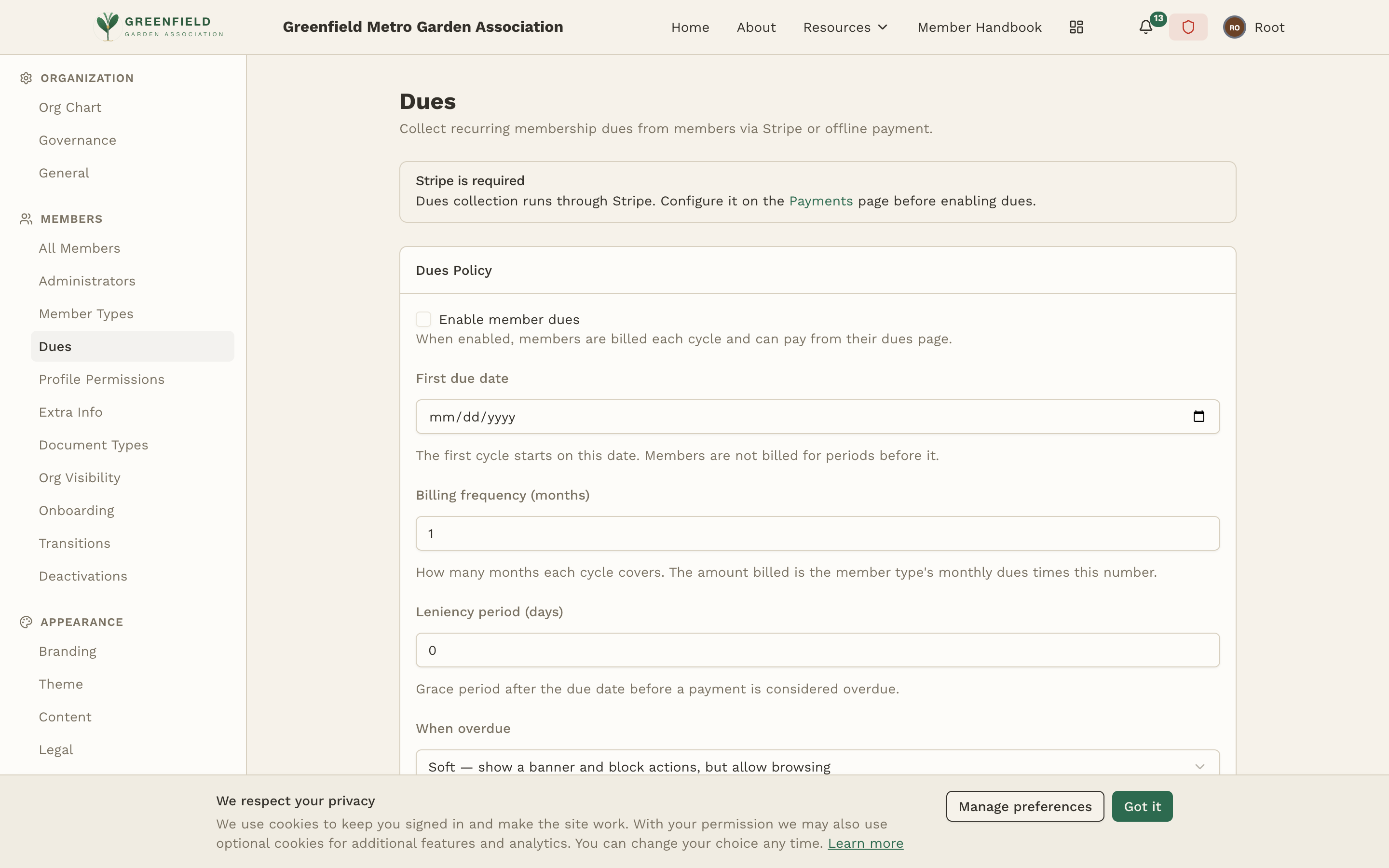
Dues Policy
The policy controls the billing cycle and the rules around it:
- Enable member dues
- When enabled, members are billed each cycle and can pay from their dues page.
- First due date
- The first cycle starts on this date. Members are not billed for periods before it.
- Billing frequency (months)
- How many months each cycle covers. The amount billed is the member type's monthly dues times this number.
- Leniency period (days)
- Grace period after the due date before a payment is considered overdue.
- When overdue
- How fellos treats an overdue member — for example Soft — show a banner and block actions, but allow browsing.
- Late penalty
- An optional penalty applied to overdue dues, or No penalty.
Reminders
The Coming-due reminder lead time (days) shows a "coming due" badge and sends an email + push reminder this many days before dues are due. A second reminder always goes out on the due date, and an overdue notice once the leniency period passes. Set it to 0 to send only the due-date reminder.
New members & changes
- New member, partial first period
- How to bill a member who joins partway through a billing period — for example Prorate the remaining months. Matters most for quarterly or annual dues.
- Skip if joining within (days of period end)
- If a member joins with this many days or fewer left in the period, don't charge the current period. 0 disables.
- New member grace period (days)
- Days after joining before a new member's first dues are due.
- When a member is deactivated mid-period
- What happens to the unpaid current-period charge — for example Keep the current charge (still owed). Paid charges are not refunded.
Members pay on demand via Stripe Checkout. Auto-pay (subscriptions) is coming in a later release.
Click Save to store the policy.
Member Type Dues
Set the monthly dues for each active member type. The amount billed each cycle is this figure times the dues frequency. Leave a member type blank for no dues. Click Save dues amounts to store the table.
Who Pays, by Organization Type
For each organization type in your structure you choose a Who pays rule — for example Each member pays their own dues — and Save it. This lets dues behave differently for, say, a chapter versus a region.