Managing Administrators
Grant or revoke direct admin-mode access for individual members.
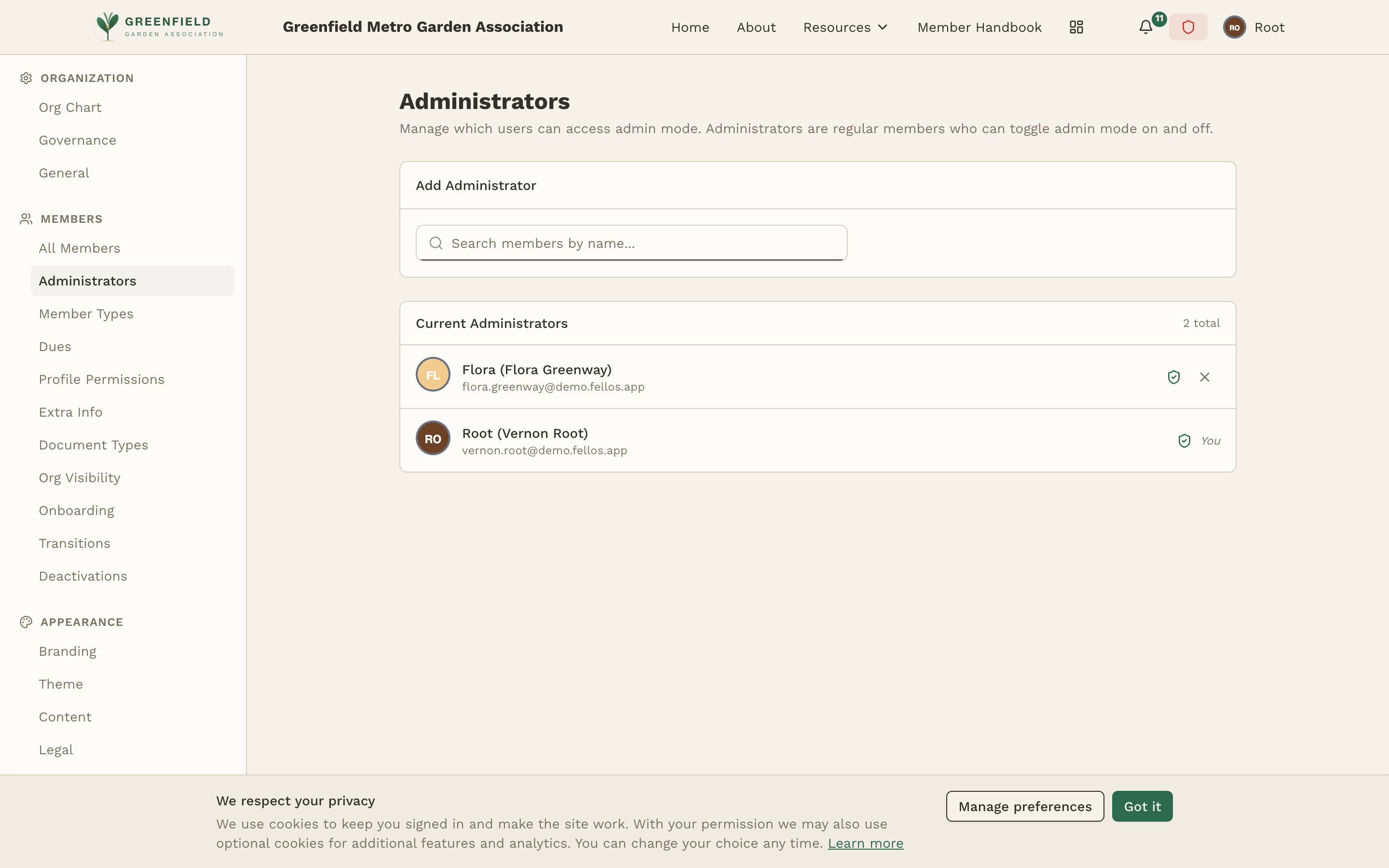
The Administrators page is found under MEMBERS → Administrators in the admin sidebar. This page lists every member who has been directly granted access to admin mode — independent of any governance role. Use it to add or remove site-wide administrators.
fellos members can gain admin access in two ways: through a governance role with admin flags (managed on the Governance page — recommended, because permissions follow the role automatically when officers change), or through a direct designation on this Administrators page (good for technical admins, initial setup, or emergency access).
This page only manages the direct designations. Role-based admins don't appear here; they're determined dynamically from their role assignments.
The Current Administrators List
The page header shows an Add Administrator button and a "Current Administrators (N total)" list of every member who has been directly granted admin access. Each entry shows the administrator's name (with display name), their email address, and a "You" badge on your own row.
Adding an Administrator
- Click Add Administrator at the top of the page.
- Search for the member you want to grant admin access to.
- Confirm. The member is added to the list and can immediately toggle Admin Mode from their avatar menu on their next page load.
Removing an Administrator
Use the per-row remove control next to a member's entry to revoke their direct admin designation. Access is removed immediately — they'll lose the Admin Mode toggle in their avatar menu the next time they reload.
You cannot remove your own administrator designation. This prevents accidentally locking yourself out of the admin panel. If you need to remove your own access, ask another administrator to do it.
Use role-based access whenever possible. It's self-managing — when officers change, permissions follow the role automatically. Reserve direct administrator designations for the small number of people who need permanent, unconditional access (technical staff, the platform owner, etc.).