Boards, Roles & Governance
Create board templates, define the roles within them, and control which roles grant admin permissions at each level of your organization.
The Governance page is found under ORGANIZATION → Governance in the admin sidebar. Boards are collections of named roles (President, Vice President, Secretary, etc.) that can be assigned to organizations. Each role can optionally carry admin permission flags that grant the holder management access at a specific scope.
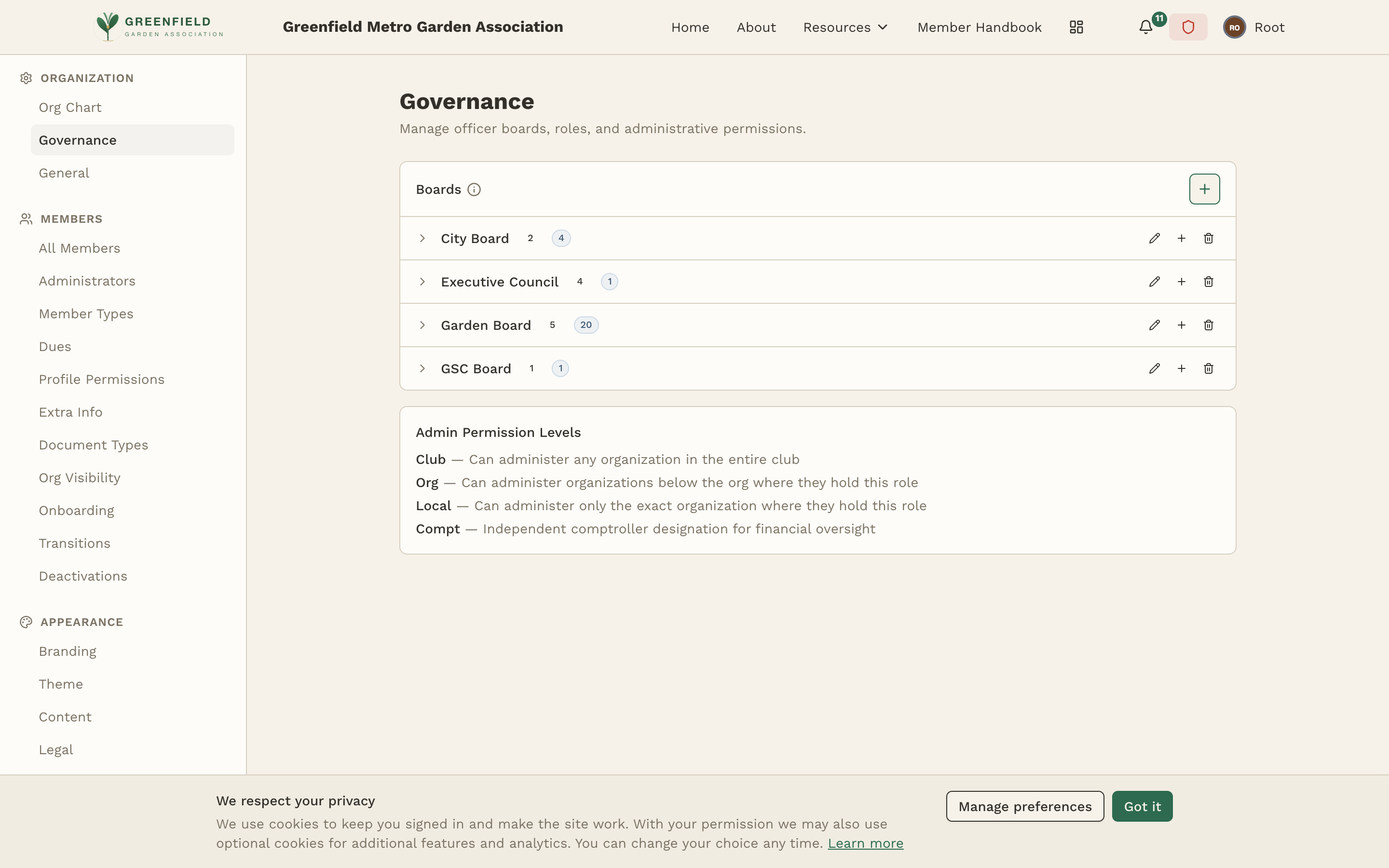
Boards
A board is a named collection of roles that can be assigned to an organization. When you create a new organization, it automatically gets the default board associated with its component type (as configured on the Organization Structure page).
The Boards section of the Governance page lists every board you've defined. Each board card shows the board's name and two counts — the number of roles defined on the board, and the number of role assignments currently held across the org tree.
Typical boards include:
- Executive Board — for the top-level organization (President, VP, Secretary, Treasurer)
- Chapter Board — for local chapters (Chapter President, Road Captain, Sergeant-at-Arms, etc.)
- Regional Board — for regional containers (Regional Director, Regional Secretary)
Creating a Board
- Use the add-board control at the top of the Boards section.
- Enter a name for the board (e.g. "Chapter Board").
- Save. The new board appears in the list, ready for you to add roles.
Defining Roles
Each board contains one or more roles. Roles represent positions within the organization's leadership — the titles that members hold. Click a board to open it and manage its roles.
Role Properties
- Name — the title of the role (e.g., "President", "Road Captain")
- Order — the display order within the board (lower numbers appear first)
- Admin Permission Flags — optional toggles that grant the role holder admin access (see below)
Adding a Role
- Open the target board.
- Use the add-role control on the board's role list.
- Enter the role name and set the display order.
- Toggle the admin permission flags as needed (Club, Org, Local, Compt).
- Save to add the role.
Admin Permission Flags
Each role can carry zero or more admin permission flags. These flags determine what level of admin access a member gains when they hold this role at a specific organization. The available flags are:
- Club — grants full site-wide admin access. The role holder can manage all settings, all organizations, and all members across the entire club. Typically reserved for the top-level President or a designated Site Admin role.
- Org — grants admin access to organizations below the org where the role is held — but not the org itself. This is intentional: a Regional Advisor, for example, should be able to manage the chapters within their region, but should not be able to manage the region's own officers (that's the Club admin's job). With only the Org flag, a Regional Advisor can administer every chapter inside their region but cannot edit the region itself or its leadership board. To give a role both downward and own-org access, set both Org and Local.
- Local — grants admin access only to the exact organization where the role is held. A Chapter President with the Local flag can manage their own chapter and nothing else. Combine with Org to also reach sub-orgs.
- Compt (Comptroller) — grants access to the store and paid event ticketing, and nothing else. This is a narrow, money-handling designation that sits alongside (not inside) the admin hierarchy. A member with only the Compt flag cannot approve onboarding, moderate groups, or change site settings. Typically applied to a Treasurer role. See the Comptroller Guide.
A role can have multiple flags enabled, and the typical setup combines Org + Local. For a Regional Director who should manage their region and the chapters under it, set both Org (for the chapters below) and Local (for the region itself). Org alone manages only the sub-orgs; Local alone manages only the role's own org. The Compt flag is usually set on its own (on a Treasurer or similar role) and doesn't need the other flags.
Admin permissions are granted through roles, not assigned directly to members. This means that when a member's role changes (e.g., they step down as President or Treasurer), their admin access is automatically revoked. No manual cleanup required.