Welcome to fellos
Your organization's home base — for staying connected, finding information, and getting involved.
fellos is a membership platform built for organizations with real structure — clubs with chapters, associations with regions, groups with officer roles and member types. If your organization has more going on than a simple contact list, fellos is built for you.
This guide covers everything you need to know as a member: how to log in, find your way around, join discussions, attend events, and manage your account.
Logging In
To get started with fellos, you'll need the login credentials provided by your organization's administrator. Here's how to sign in:
- Go to your organization's fellos site (your admin will share the web address with you).
- Click Sign In or enter your email and password on the login page.
- If your organization has set up social login (like Google), you may also see options to sign in with those accounts.
fellos works great on your phone! You can add it to your home screen for quick access — it works just like a regular app, no app store needed.
First-Time Setup
The first time you log in, take a moment to:
- Upload a profile picture — click your name in the top bar, go to Profile, and click Change Picture.
- Check your contact info — make sure your email, phone number, and address are current on the same Profile page.
- Pick your notification channels — click your name in the top bar, then Notifications, and flip on email and/or push delivery if they're configured for your org.
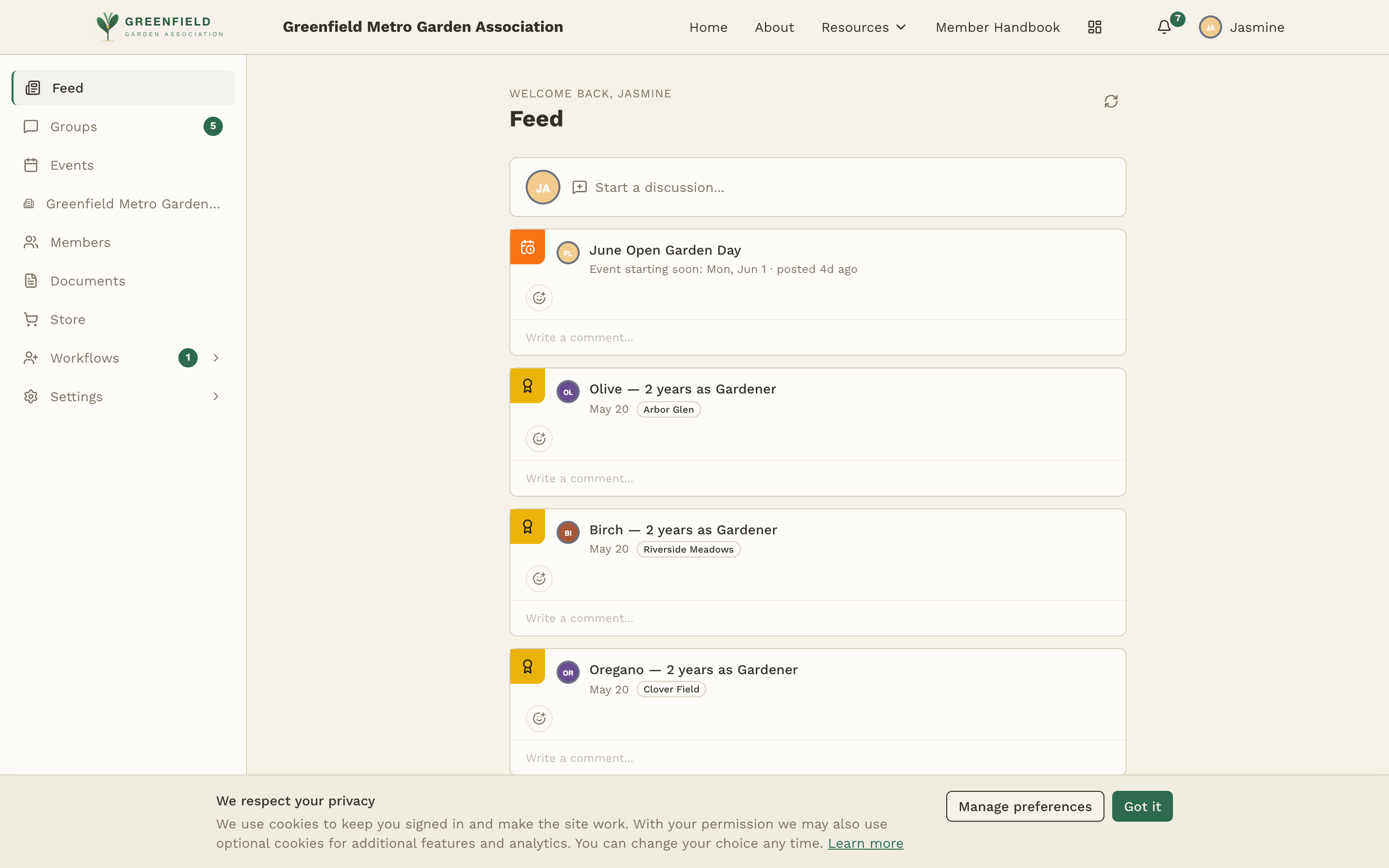
- Explore the left sidebar — click through Feed, Groups, Messaging, Events, your organization, Members, Documents, and (if enabled) Store, plus Workflows if your member type has it. Your account pages are behind your name in the top bar.
What You Can Do
As a member of your organization on fellos, you can:
📰 Stay Updated
See group posts, new-member announcements, officer appointments, and type changes in your activity feed.
💬 Join Discussions
Read and post in discussion groups, comment on topics, and subscribe to the ones you care about.
📅 Events
See upcoming events on a calendar or list, RSVP with a single "I'm Going" click, and bring guests when the host allows.
🏛️ Your Organization
Browse your organization's structure, see sub-orgs and member-type counts, and find officer positions in the chain of command.
👥 Find Members
Search the Members directory by name, nickname, or email. Use group search for finding topics and comments.
📁 Documents
Download shared files your organization has posted — bylaws, forms, handbooks, meeting minutes.
🛒 Shop the Store
Buy apparel, books, workshop passes, and other items your organization sells.
📋 Submit Requests
Sponsor new members, request a type change, transfer between sub-orgs, or upload required attachments through Workflows.
Getting Help
If you're having trouble with something:
- Forgot your password? — Click "Forgot Password" on the login page. You'll receive an email with a link to reset it.
- Can't find something? — Use the sidebar navigation. Check the rest of this guide for details on each feature.
- Need admin help? — Reach out to one of your organization's administrators. You can usually find them listed in the Organization section.
Your admin controls which features are available to your member type. If you don't see something mentioned in this guide, it may not be enabled for your account. Check with your organization's admin if you think something is missing.