Admin Levels Explained
Understanding the three tiers of administration in fellos and what each one controls.
fellos uses a hierarchical admin model that mirrors the structure of your organization. Rather than having a single "admin" role, there are three distinct levels of administrative access, each with a different scope of control. This means the right people have the right level of access — no more, no less.
Your admin level isn't something you sign up for or toggle on. It's tied directly to your officer role. When your organization's site admin assigns you an officer role that carries an admin flag, you automatically receive the corresponding admin capabilities. Remove the role, and the admin access goes with it.
The Three Admin Levels
Every admin in fellos falls into one of these three levels. Each level defines the scope of what you can manage — that is, which parts of the organization tree you have authority over.
Club Admin
A Club Admin has the widest possible scope. This level grants full access to the entire club, including every region, chapter, and member within it. Club Admins can:
- Manage any organization at any level of the hierarchy
- View and edit any member profile across the entire club
- Approve or decline any workflow request (onboarding, transitions, deactivations, transfers)
- Assign officer roles at any organization level
- Override decisions made by Org Admins or Local Admins
- Moderate any group or event across the club
Club Admin is the highest admin level available through officer roles. The only level above it is Site Admin, which is managed separately by the person who set up the fellos site and controls system-wide settings like branding, themes, and member type definitions.
Org Admin
An Org Admin has authority over the organizations that sit below the organization where they hold their role. This is the key concept — Org Admin access flows downward through the hierarchy.
For example, if you are assigned an officer role with the Org Admin flag at the "Northeast Region" level, you can manage:
- All chapters within the Northeast Region
- All members who belong to those chapters
- Workflow requests originating from those chapters
- Officer assignments within those chapters
- Groups and events associated with those chapters
However, you would not be able to manage chapters in other regions, or make changes at the club level itself. Your scope is limited to the branch of the organization tree that falls under your assigned org.
Local Admin
A Local Admin has the narrowest scope. This level grants access only to the exact organization where the role is assigned — no children, no parent, just that one org.
If you are a Local Admin for "Cedar Chapter," you can manage:
- Members who belong to Cedar Chapter
- Workflow requests for Cedar Chapter members
- Officer roles within Cedar Chapter
- Groups and events that belong to Cedar Chapter
You cannot see or manage members in any other chapter, even if those chapters are in the same region. Your world is Cedar Chapter and Cedar Chapter alone.
How You Become an Admin
You don't "sign up" for admin access in fellos. Admin privileges are attached to officer roles, which are configured by your site admin. Here's how the process works:
- Your site admin defines officer roles for the club (e.g., "President," "Secretary," "Regional Director").
- For each role, the site admin sets an admin level flag: Club Admin, Org Admin, Local Admin, or no admin access at all.
- When someone assigns you to an officer role at a specific organization, you inherit the admin level associated with that role.
- Your admin scope is determined by the combination of your role's admin flag and the organization where you hold the role.
A single member can hold multiple officer roles, potentially at different organizations. If those roles carry different admin flags, the member effectively has the combined scope of all their roles. For example, you could be a Local Admin for Cedar Chapter and an Org Admin for the Northeast Region at the same time.
How Scope Works in Practice
Your admin scope affects everything you do in fellos. Here are some practical examples of how it plays out:
Viewing the Member Directory
When you open the member directory, you see all members you have access to. A Club Admin sees everyone. An Org Admin sees members in their sub-organizations. A Local Admin sees only their own chapter's members.
Handling Workflow Requests
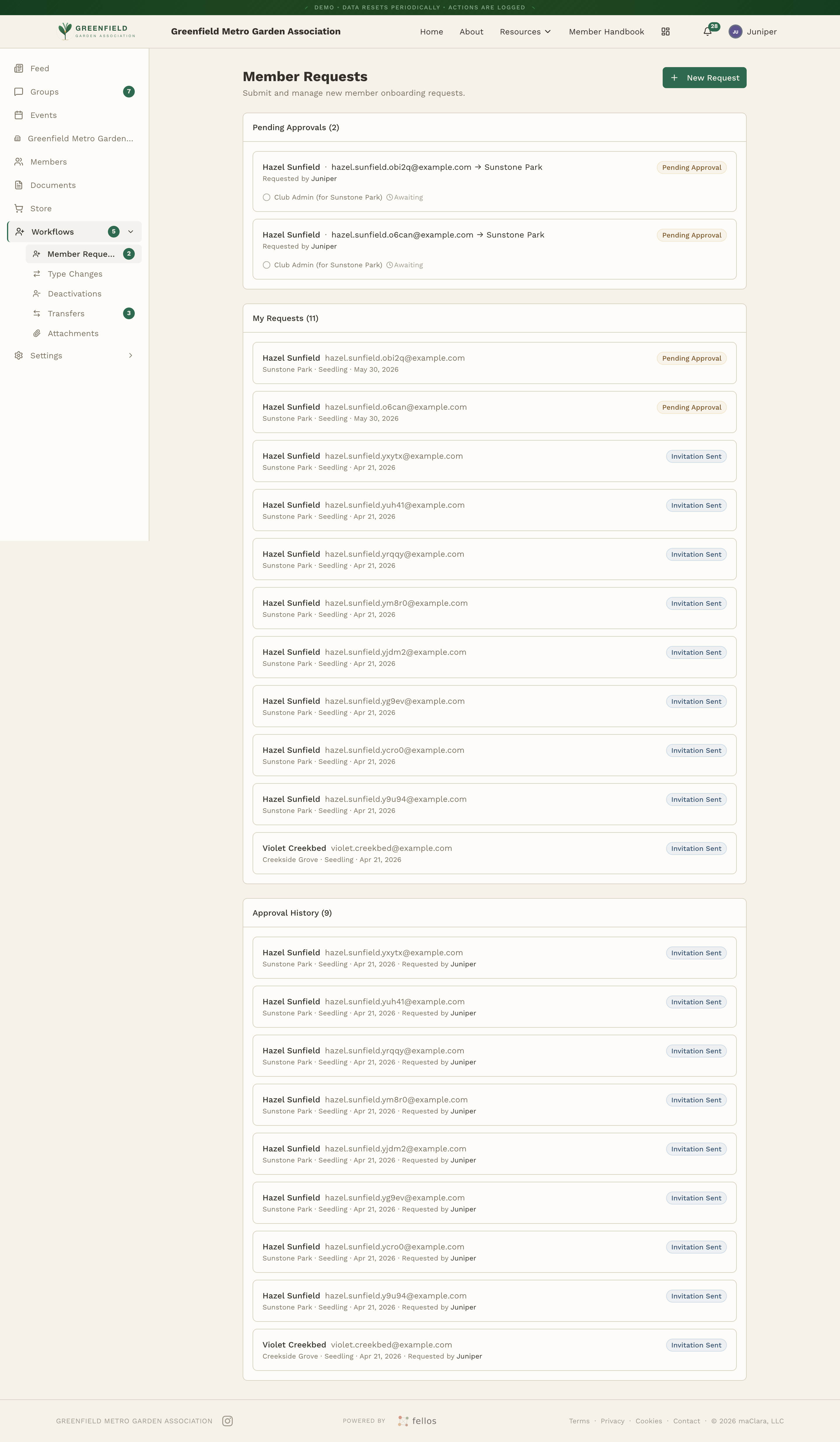
Pending requests (onboarding, transitions, deactivations, transfers) only appear in your queue if they fall within your scope. A transfer request from Cedar Chapter to Birch Chapter would appear for the Northeast Region's Org Admin, but not for the Western Region's Org Admin.
Assigning Officers
You can only assign officer roles within your scope. A Local Admin for Cedar Chapter can assign officers to Cedar Chapter. An Org Admin for the Northeast Region can assign officers to any chapter in that region.
Moderating Content
You can moderate groups and events that belong to organizations within your scope. If a group is tied to a specific chapter, only admins whose scope includes that chapter can moderate it.
Common Questions
Can I have admin access without being an officer?
No. In fellos, admin access is always tied to an officer role. This ensures there's a clear, auditable reason why someone has administrative privileges.
What if I need a different level of access?
Talk to your site admin. They can adjust the admin flag on your officer role, or assign you an additional role with the appropriate level.
Does my admin access affect what I see as a regular member?
Yes. As an admin, you see everything a regular member sees, plus additional capabilities like edit buttons on profiles, the Workflows section of the sidebar with its review queues, and moderation controls on content. The admin view is an extension of the member view, not a separate interface.