Deactivations
How to review and process requests to deactivate member accounts.
Deactivation takes a member off the active roster. A deactivated member can no longer log in or participate, but their profile, history, and records are preserved — nothing is deleted. This is reversible: a deactivated member can be brought back later.
Deactivation requests typically come from an admin, on behalf of a member who's leaving or who needs to be removed from the active roster.
Why Members Get Deactivated
Common reasons include:
- Voluntary leave — The member is stepping back from active participation.
- Non-payment of dues — If your organization tracks dues, a member may be removed from the active roster for lapsing.
- Disciplinary action — If a member has violated organizational rules.
- Relocation — They've moved out of your area.
Reviewing a Deactivation Request
To review pending deactivations:
- In the left sidebar, click Workflows to expand the Workflows section.
- Click Deactivations in the list that opens beneath it.
- The page is titled Deactivations, subtitled "Submit and manage member deactivation requests." It shows the usual layout — a New Request button, your submitted requests, and an Approval History list. Click any entry to open the detail view.
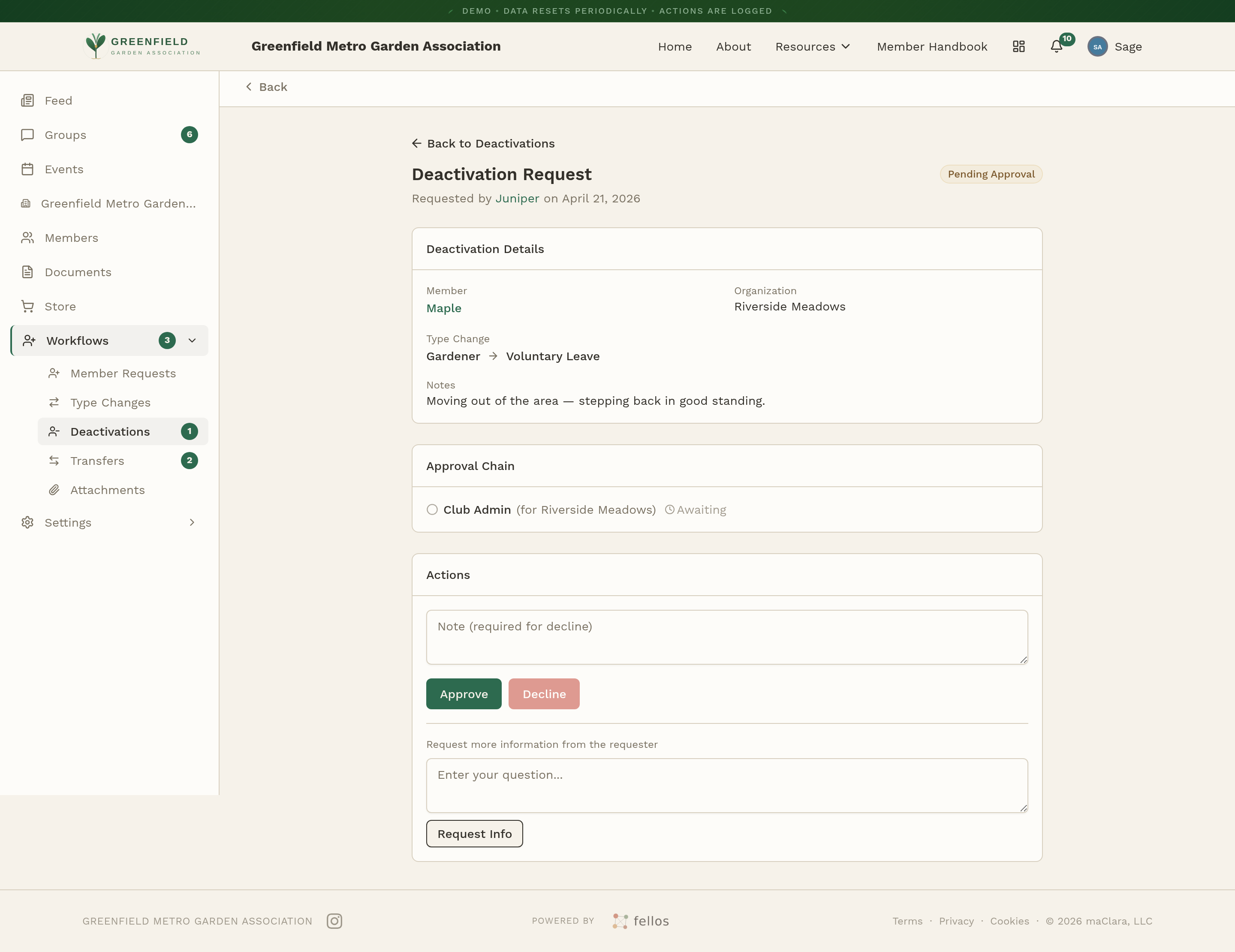
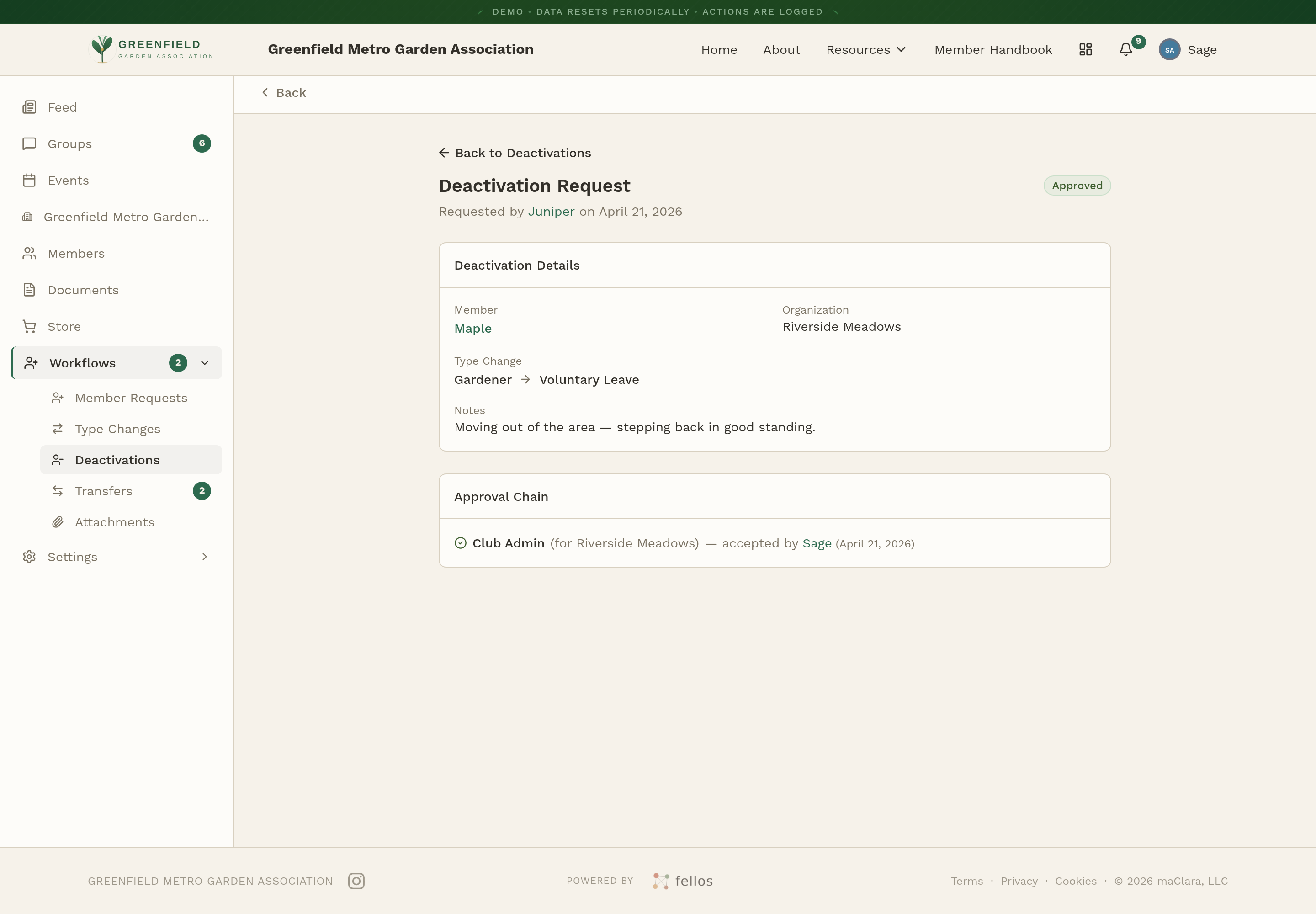
The detail view opens under Deactivation Request with a status badge — Pending Approval for a fresh one, Approved once the chain is done. It has three sections:
- Deactivation Details — Member, organization, the kind of deactivation (Memorial, Removed, or Voluntary Leave), and notes from the requester.
- Approval Chain — Each admin level that has to accept this request, and who has done so.
- Actions — Where Approve, Decline, and Request Info buttons appear when it's your turn to act.
Submitting a Deactivation Request
To start a deactivation yourself:
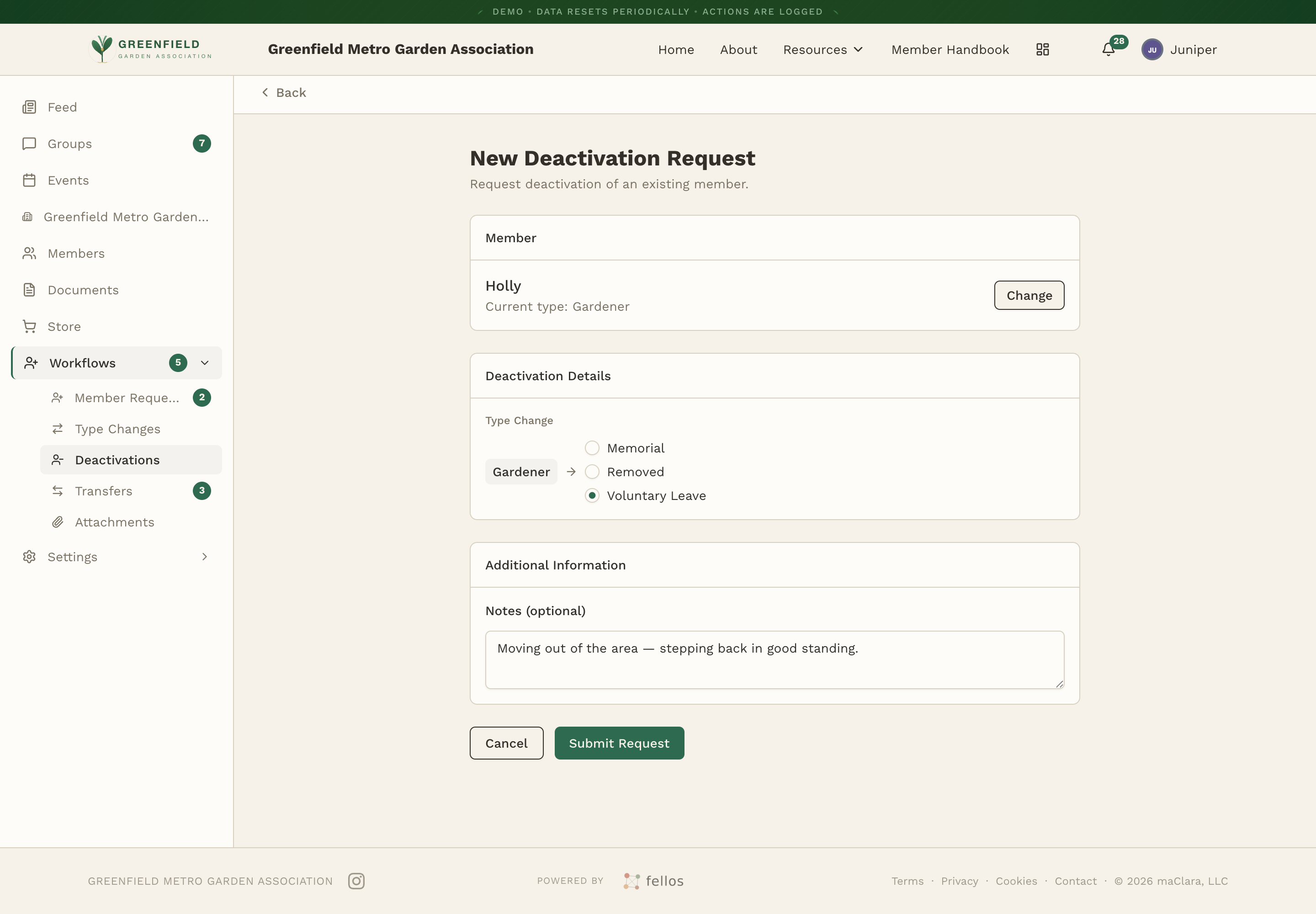
- On the Deactivations page, click New Request.
- Search for the member by name on the New Deactivation Request form.
- Pick the deactivation type from the radio buttons: Memorial (for a member who has passed), Removed (involuntary), or Voluntary Leave.
- Optionally add notes explaining the reason, then click Submit Request.
Approving or Declining
When the chain reaches your admin level, action buttons appear in the Actions section: Approve, Decline, and Request Info. Declining keeps the member active — use this if the request was made by mistake or if the situation can be resolved another way.
Once every step has accepted, the member is taken off the active roster: their profile no longer appears in the active directory, any officer roles they hold are released, and the status badge updates to Approved.
Deactivation is not permanent. A deactivated member can be brought back later through a new member request, which runs through the normal approval chain. Their old history stays connected to them.
When submitting a deactivation for disciplinary reasons, write the notes carefully. They become part of the permanent record.
What Gets Preserved After Deactivation
Deactivation keeps everything:
- Profile information
- Membership history (type changes, transfers, org assignments)
- Activity (posts, comments, event attendance)
- All workflow records
- Officer role history
Nothing is deleted. If the member ever comes back, their history is still there.