Member Type Changes
Reviewing and approving transition requests when members move between member types.
Member types are the different kinds of membership your organization offers — for example, a member might start as a trial-level type and later move up to a full member. Each change from one type to another is handled through a transition request, which runs through an approval chain before the member's type is updated.
As an admin, you'll review these requests, check that the member qualifies for the new type, and approve or decline them.
Where Transition Requests Come From
Transition requests are submitted by admins who have the right to request them (your site admin sets this up per admin level). You can start one yourself when a member has earned a move up or needs to step back.
Reviewing a Transition Request
To review pending transitions:
- In the left sidebar, click Workflows to expand the Workflows section.
- Click Type Changes in the list that opens beneath it.
- The page is titled Type Changes, subtitled "Submit and manage member type transition requests." It shows a New Request button, your submitted requests, and an Approval History list. Requests that passed through you appear under Approval History.
- Click a request to open its detail view.
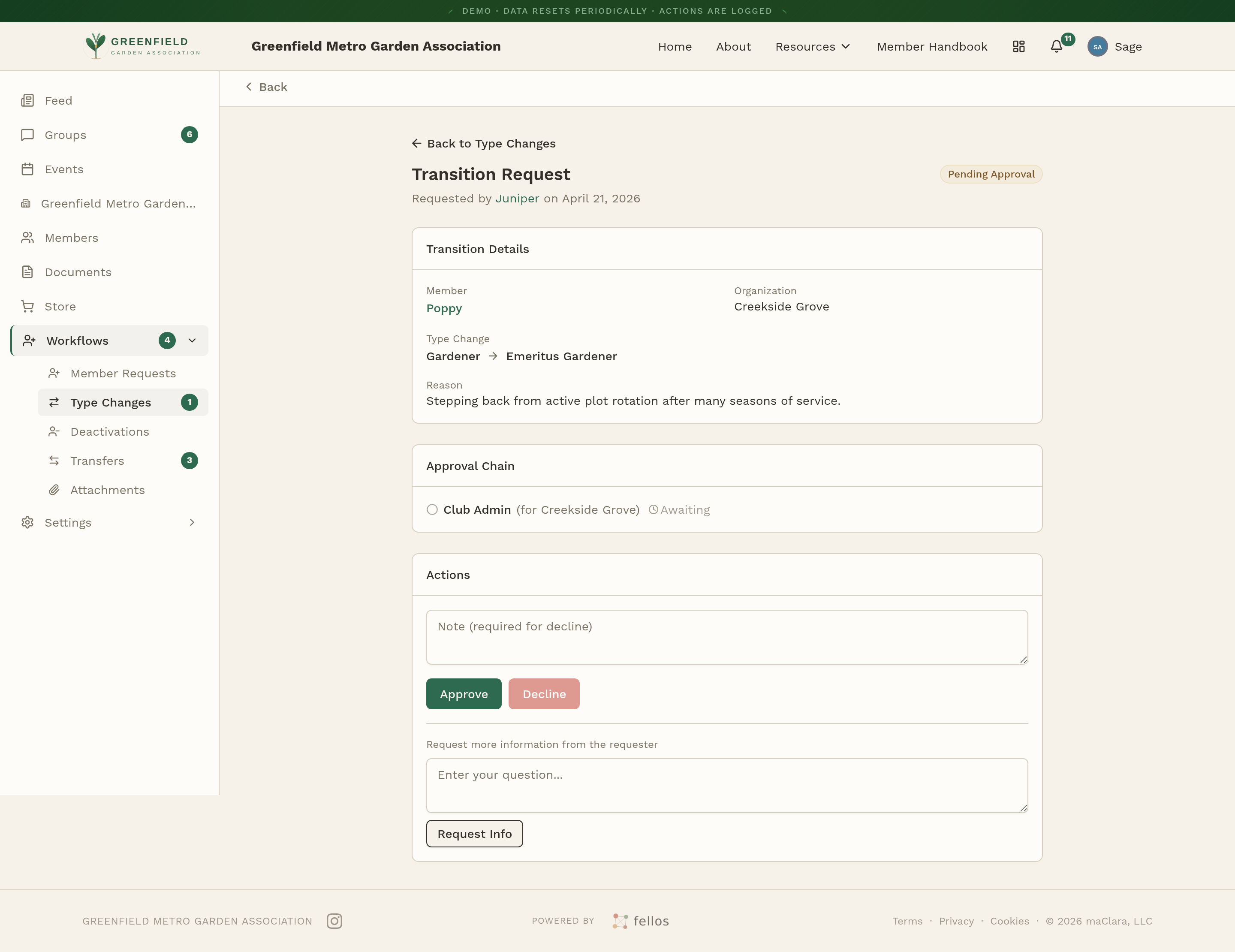
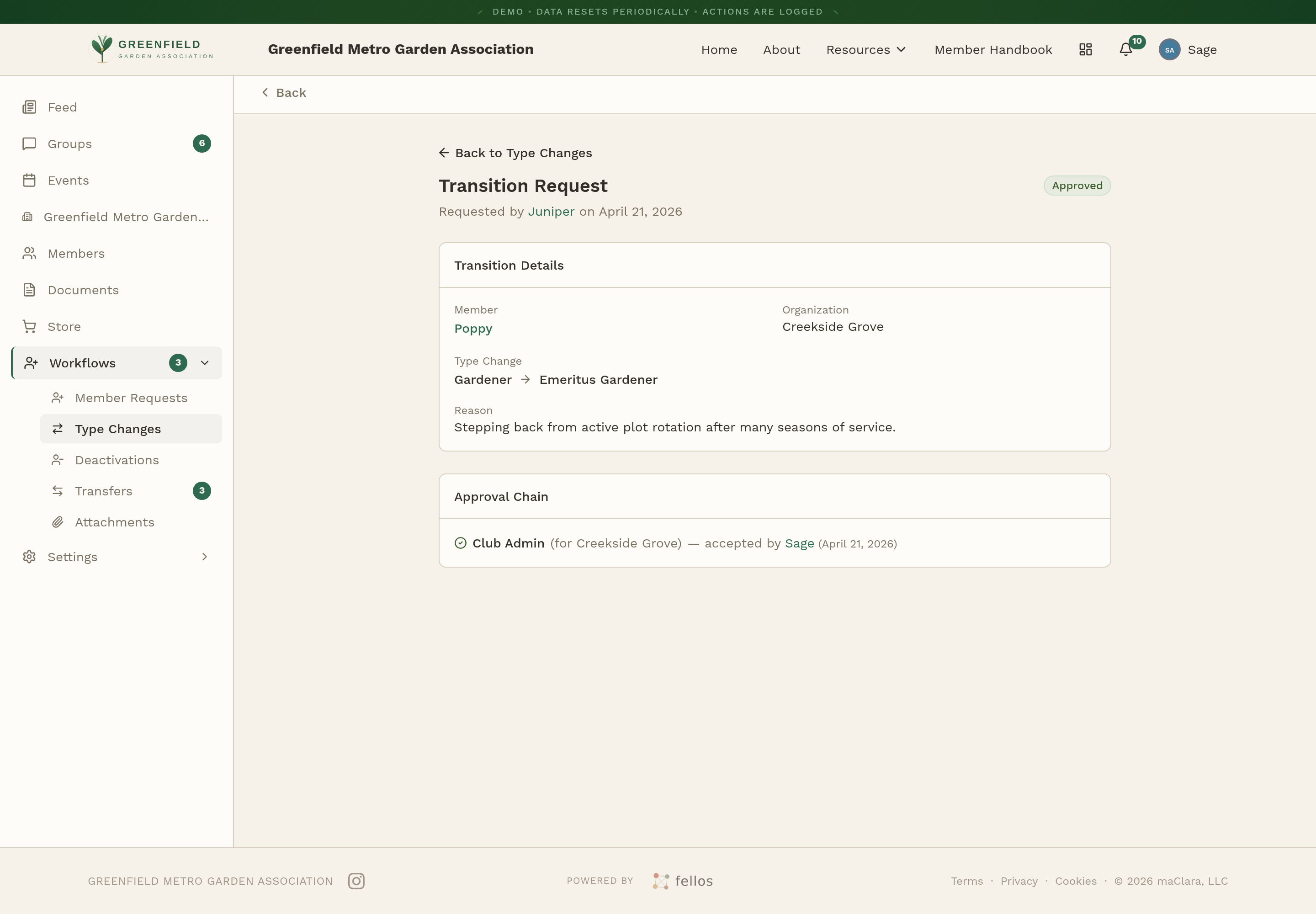
The detail view opens under the heading Transition Request with a status badge — Pending Approval for a fresh one, Approved once every step in the chain has accepted. It has three sections:
- Transition Details — The member, their organization, the type change (from → to), and the reason given.
- Approval Chain — The sequence of approvals needed, labeled by admin level (Club, Org, Local) and organization. Each step shows whether it's been accepted and by whom.
- Actions — Where the Approve, Decline, and Request Info buttons appear when it's your turn to act.
Submitting a Transition Request
To start a transition yourself:
- On the Type Changes page, click New Request.
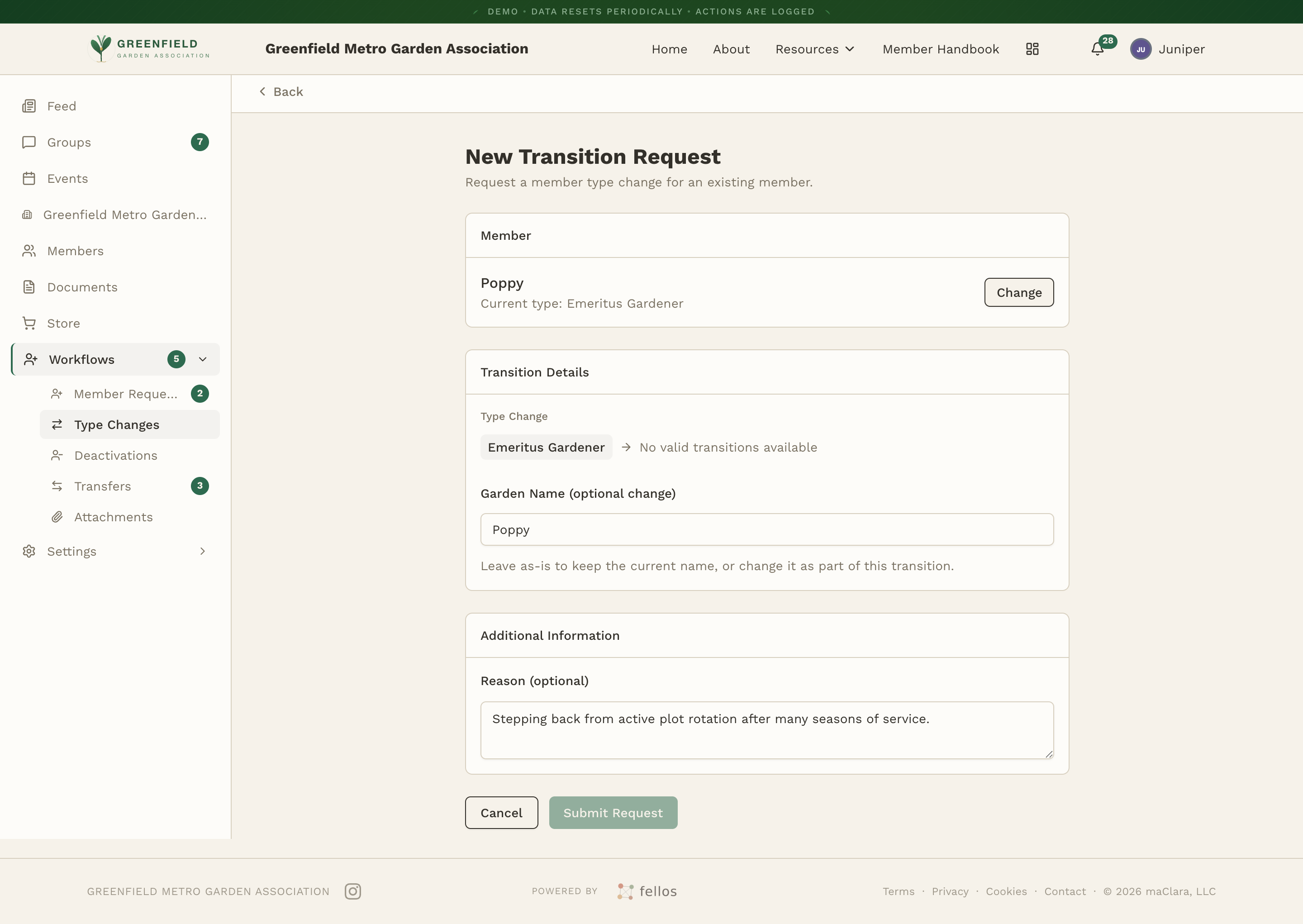
- On the New Transition Request form, search for the member by name (type at least two letters, then pick from the dropdown).
- Once picked, the form fills in the current type and presents the available Type Change as a pair of pills (the current type → the new type). Optionally change the member's display name.
- Write a short Message explaining why the change is being requested, then click Submit Request.
Approving or Declining
When the Approval Chain reaches your admin level, action buttons show up in the Actions section: Approve, Decline, and Request Info. Approving moves the request on to the next step (or completes it if yours is the last step). Declining stops the request there — a note is required when declining, so the submitter understands why.
Once the last step in the chain accepts, the status changes to Approved and the member's type updates in the directory. Their profile badge changes to match the new type.
Before approving, check the Reason and any messages. If your organization has specific requirements for moving to a new member type, make sure they've been met.
Your site admin decides which member types exist and which transitions are allowed between them. You can only request changes between types that are already set up. If you need a new type added, ask your site admin.