Profile Field Permissions
Per-member-type matrix controlling who can edit each built-in profile field — Club, Org, Local, or the member themselves.
The Profile Permissions page is found under MEMBERS → Profile Permissions in the admin sidebar. It lets you decide which admin level can edit each profile field for each member type — and which fields members can edit on their own profile.
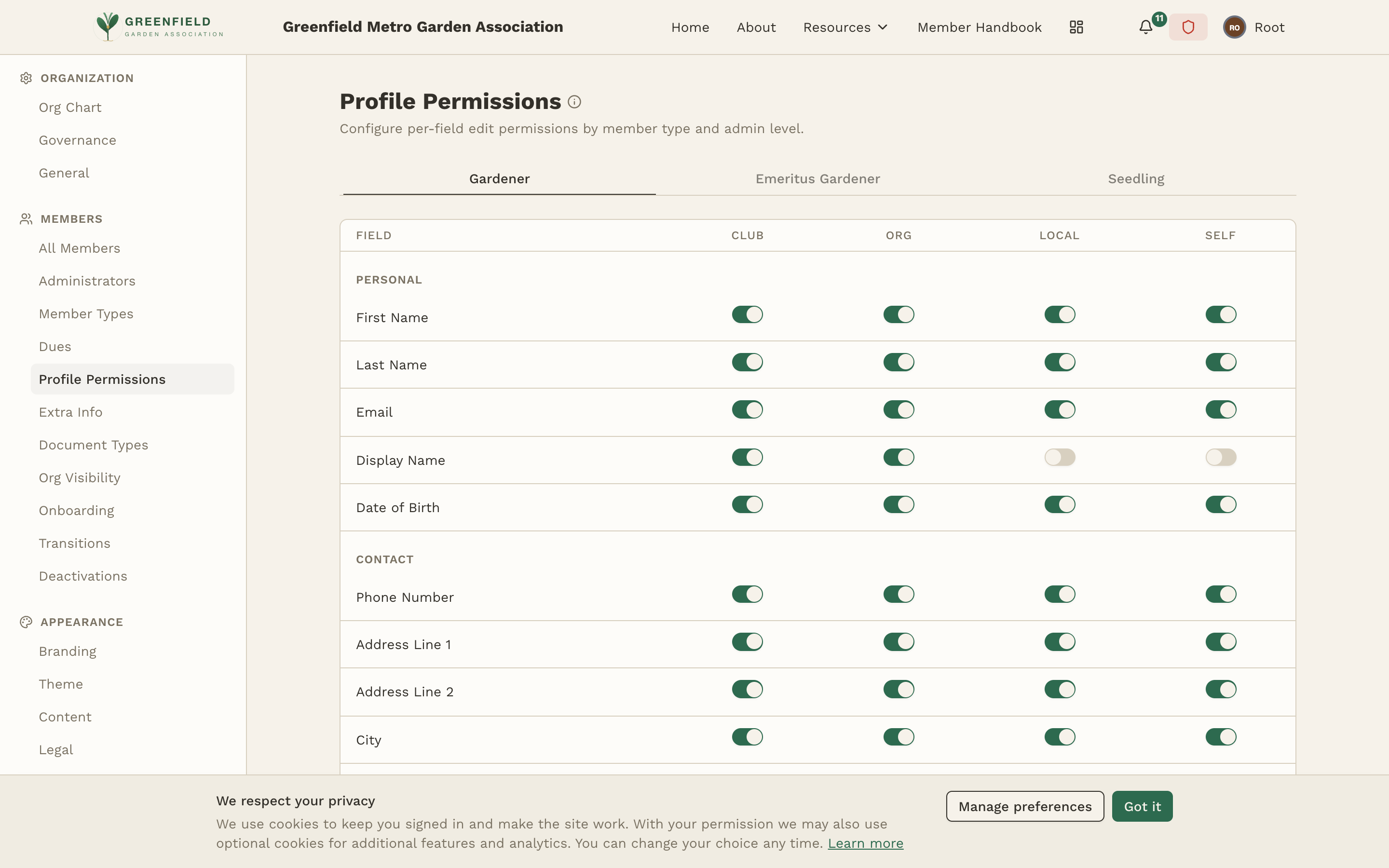
How the Permissions Matrix Works
The page has a row of tabs at the top — one tab per member type (e.g. "Gardener", "Emeritus Gardener", "Seedling"). Each tab shows an independent matrix, so you can give different member types different rules.
Within a tab, fields are listed as rows grouped under section headings (PERSONAL, CONTACT, PROFILE, ADMINISTRATIVE), and each field has four toggle columns:
- CLUB — can Club-level administrators edit this field?
- ORG — can Org-level administrators edit this field? (Org-level admins manage organizations below the org where they hold their role; if you also need them to manage their own org, give the role both Org and Local flags on the Governance page.)
- LOCAL — can Local administrators (just the org where the role is held) edit this field?
- SELF — can the member themselves edit this field on their own profile?
Users with admin mode enabled always have full edit access to every field — that bypass isn't configurable on this page. The matrix only governs edit access when the user is acting in their normal member view.
Built-in Profile Fields
fellos includes the following built-in profile fields, grouped on the Profile Permissions page:
- PERSONAL: First Name, Last Name, Email, Display Name, Date of Birth.
- CONTACT: Phone Number, Address Line 1, Address Line 2, City, State / Province, Postal Code, Country.
- PROFILE: Profile Picture, Sponsor, Sponsor Text.
- ADMINISTRATIVE: Admin Flag, Active Status, Organization.
These fields can't be removed, but you can control edit permissions on each one through this matrix.
Editing the Matrix
- Click the tab for the member type whose permissions you want to change.
- Toggle the appropriate Club / Org / Local / Self cells for each field.
- Repeat for each member type that needs different rules.
Best Practices
- Let members edit their own contact info — name, email, phone, and address should generally be Self-editable so members keep their info current.
- Restrict sensitive fields — Date of Birth and Administrative fields (Admin Flag, Active Status, Organization) are typically limited to Club or Org levels.
- Local admins need enough access to onboard — if your chapter leads handle new member intake, make sure they can edit the fields needed during onboarding.
This matrix controls edit permissions only. Who can see each member type at all is configured on the Org Visibility page.