Legal Pages
Set up your Terms of Service and Privacy Policy — required legal pages that members can access from the site footer.
The Legal Pages editor is found under APPEARANCE → Legal in the admin sidebar. Every fellos site needs a Terms of Service and Privacy Policy. These pages are accessible to anyone (including non-logged-in visitors) at /terms and /privacy, and are linked from the site footer on every page.
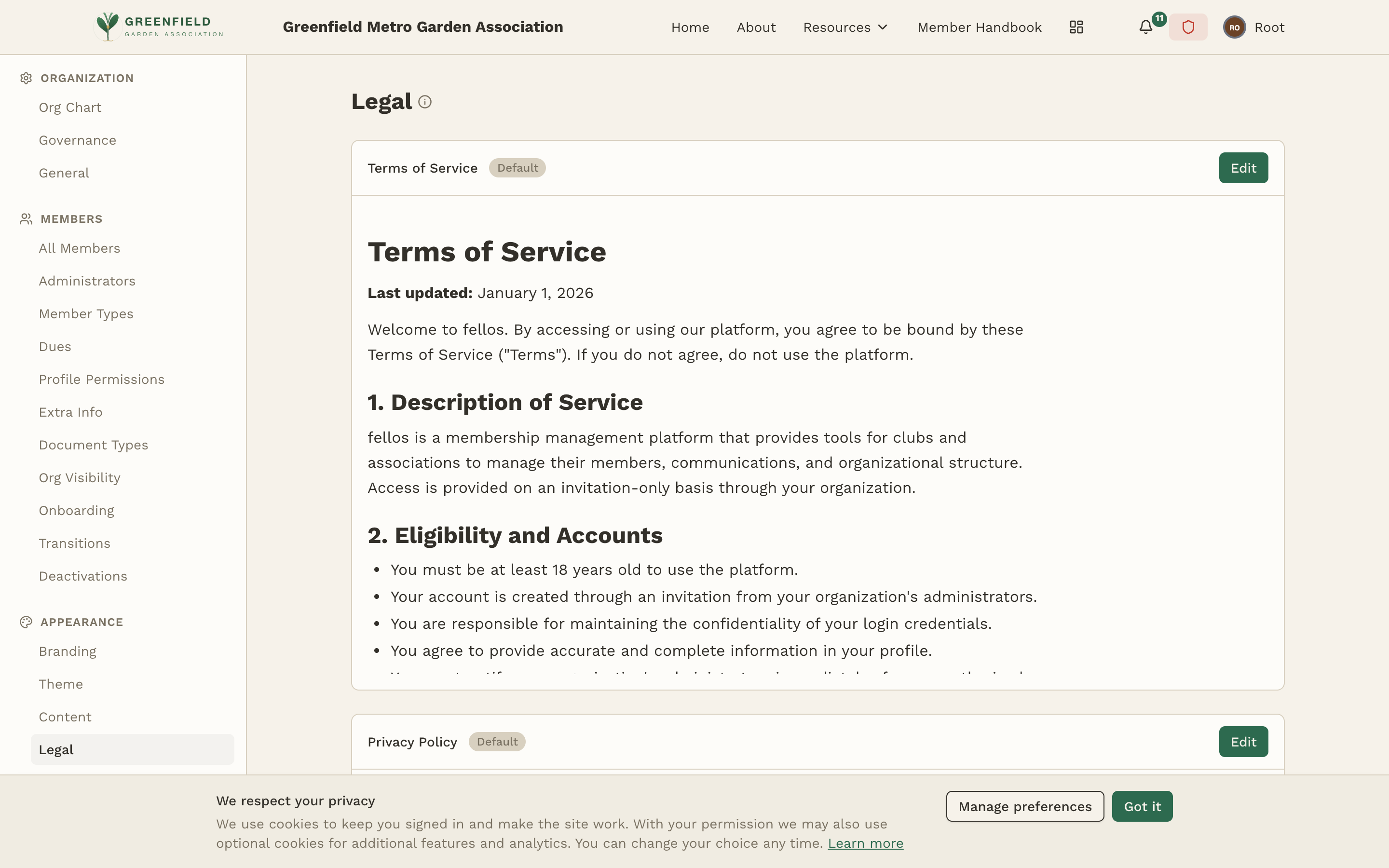
Terms of Service
Your Terms of Service (ToS) outlines the rules and guidelines for using your fellos site. It typically covers:
- Acceptance of terms — that by using the site, members agree to abide by these terms
- Membership requirements — who can be a member and what's expected of them
- User conduct — what behavior is and isn't acceptable on the platform
- Content ownership — who owns the content members post
- Termination — how and why membership can be revoked
- Liability limitations — your organization's liability regarding the platform
This documentation does not constitute legal advice. We strongly recommend having your Terms of Service and Privacy Policy reviewed by a legal professional familiar with your jurisdiction and organization type. Generic templates from the internet may not adequately protect your organization.
Privacy Policy
Your Privacy Policy explains how your organization collects, uses, stores, and protects member data. Key areas to address:
- Data collection — what personal information you collect (names, emails, addresses, etc.)
- How data is used — how member information is used within the platform
- Data sharing — whether and how data is shared with third parties
- Data retention — how long member data is kept
- Member rights — how members can access, correct, or delete their data
- Security measures — how you protect member data
- Cookies and tracking — what tracking technologies are used
Editing a Legal Page
Both legal pages live on the same admin page, stacked one above the other. Each section shows a preview of the current content along with a Default badge (when fellos's default text is in use) and an Edit button. Editing happens in a separate editor view per section.
- Find the section you want to edit (Terms of Service or Privacy Policy).
- Click the Edit button on that section. fellos opens an editor with the current content.
- Write or paste your content. If pasting from another document, basic formatting (bold, lists, headings) is preserved.
- Save when you're done. The new text replaces the default and the Default badge goes away.
Each section is edited independently — you don't have to touch both at once.
Include a "Last updated" date at the top of each legal page. This helps members know when the terms were last changed and is a good legal practice. Update this date whenever you make substantive changes to the content.
Where Legal Pages Appear
Your legal pages are accessible in two ways:
- Footer links — "Terms of Service" and "Privacy Policy" links appear in the footer of every page on your site, both for logged-in members and public visitors.
- Direct URLs — the pages are accessible at
/termsand/privacyon your site. These URLs are stable and can be shared or linked to from external documents.
Legal pages are always publicly accessible — you don't need to be logged in to view them. This is intentional, as people should be able to review your terms before signing up.
Changes to legal pages take effect immediately after saving. If you make significant changes to your Terms of Service or Privacy Policy, consider notifying your members about the update — fellos doesn't automatically notify members when legal pages change.