USPS Shipping Integration
Optional — enable live USPS rates and automatic tracking updates.
If you ship store items by USPS, turning on this integration gives you two benefits:
- Live rate quotes. At checkout, members see real USPS rates based on the item's weight and their ZIP, instead of whatever flat rates the Comptroller set up.
- Automatic tracking updates. Once an order is marked Shipped with a tracking number, fellos polls USPS and updates the order status (Delivered, etc.) automatically.
This is entirely optional. The store works fine with just flat shipping rates. Skip this page if you don't ship USPS.
Getting USPS Credentials
You need a USPS Web Tools API key. It's free.
- Go to developer.usps.com.
- Register for a developer account.
- Create an app and request API access for Tracking/Field Information API.
- Once approved, you'll get a Consumer Key (Client ID) and Consumer Secret.
USPS typically approves developer API access within a few business days. Plan ahead if you're launching the store against a deadline.
Entering Credentials in fellos
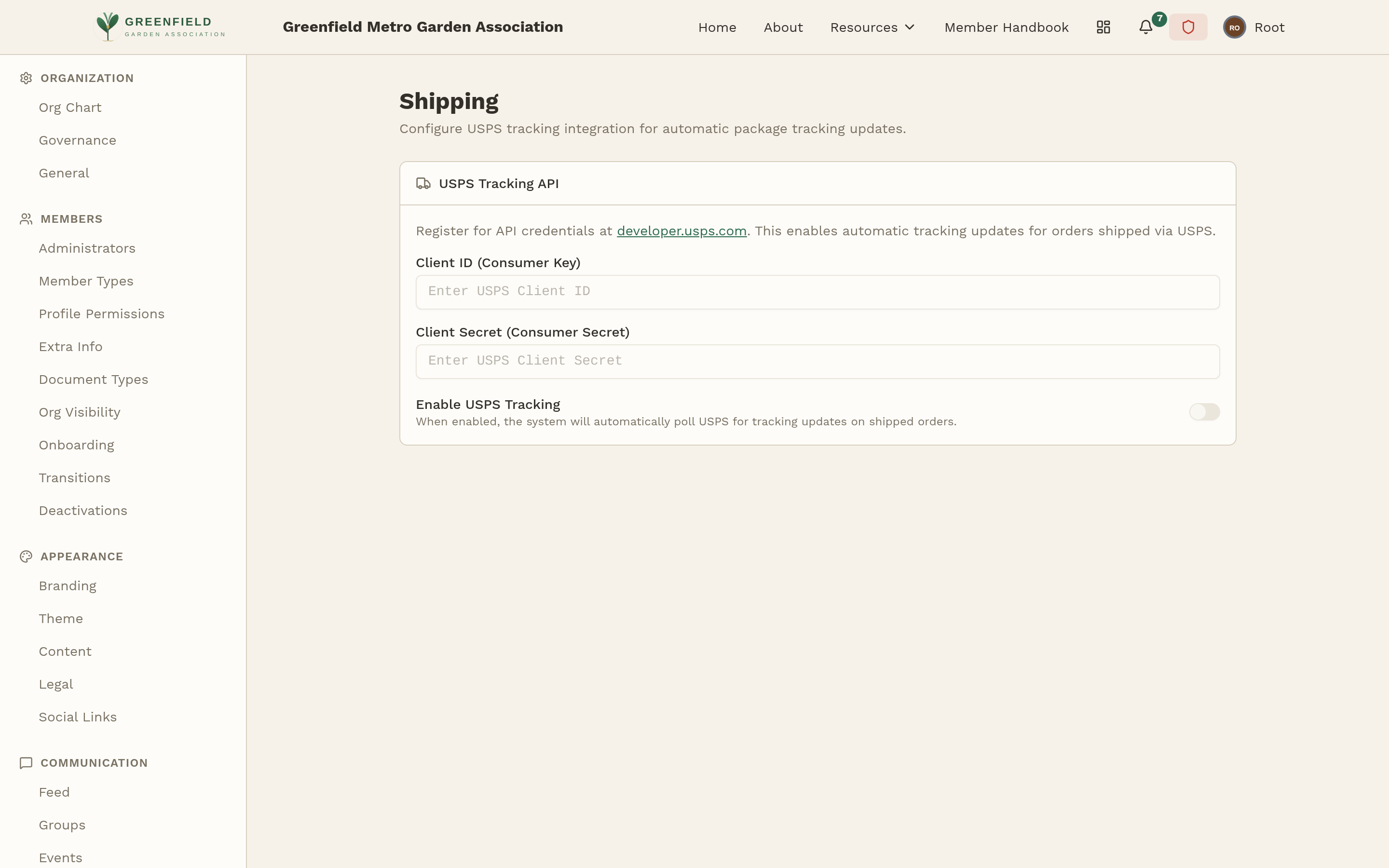
- Go to Admin → Integrations → Shipping. The page is titled "Shipping" with a "USPS Tracking API" section.
- Paste your Client ID (Consumer Key) and Client Secret (Consumer Secret).
- Toggle Enable USPS Tracking on.
- Save.
If your credentials are wrong, USPS calls will fail and tracking just won't update — you won't see live errors on this page. Double-check that the keys are pasted without trailing spaces and that your USPS developer app is approved for the Tracking API.
What Happens Once It's On
- On the storefront, members see USPS rate options at checkout alongside any flat rates the Comptroller has set up.
- Once an order is marked Shipped with a tracking number, fellos checks USPS for status every few hours.
- When USPS reports Delivered, the order flips to Delivered automatically.
Items need to have a weight set (in ounces) on the item editor for USPS rates to quote. Items without weights fall back to flat rates.